FOR CLAUDE CODE & CODEX USERS

Track your AI coding limits from the menu bar

Fuel Gauge shows Claude and Codex usage side by side — 5-hour windows, weekly caps, and reset timers, right where you can see them. Reads Claude credentials from Keychain. Sign into Codex once and forget it.
No dashboards, no context switching.

Keychain Auth Siri Shortcuts macOS Native

Buy Me a Coffee if you found this valuable.
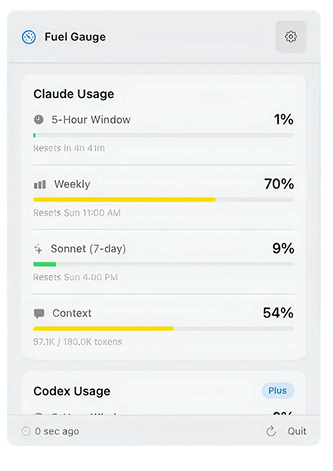
Fuel Gauge app screenshot

Stay in flow

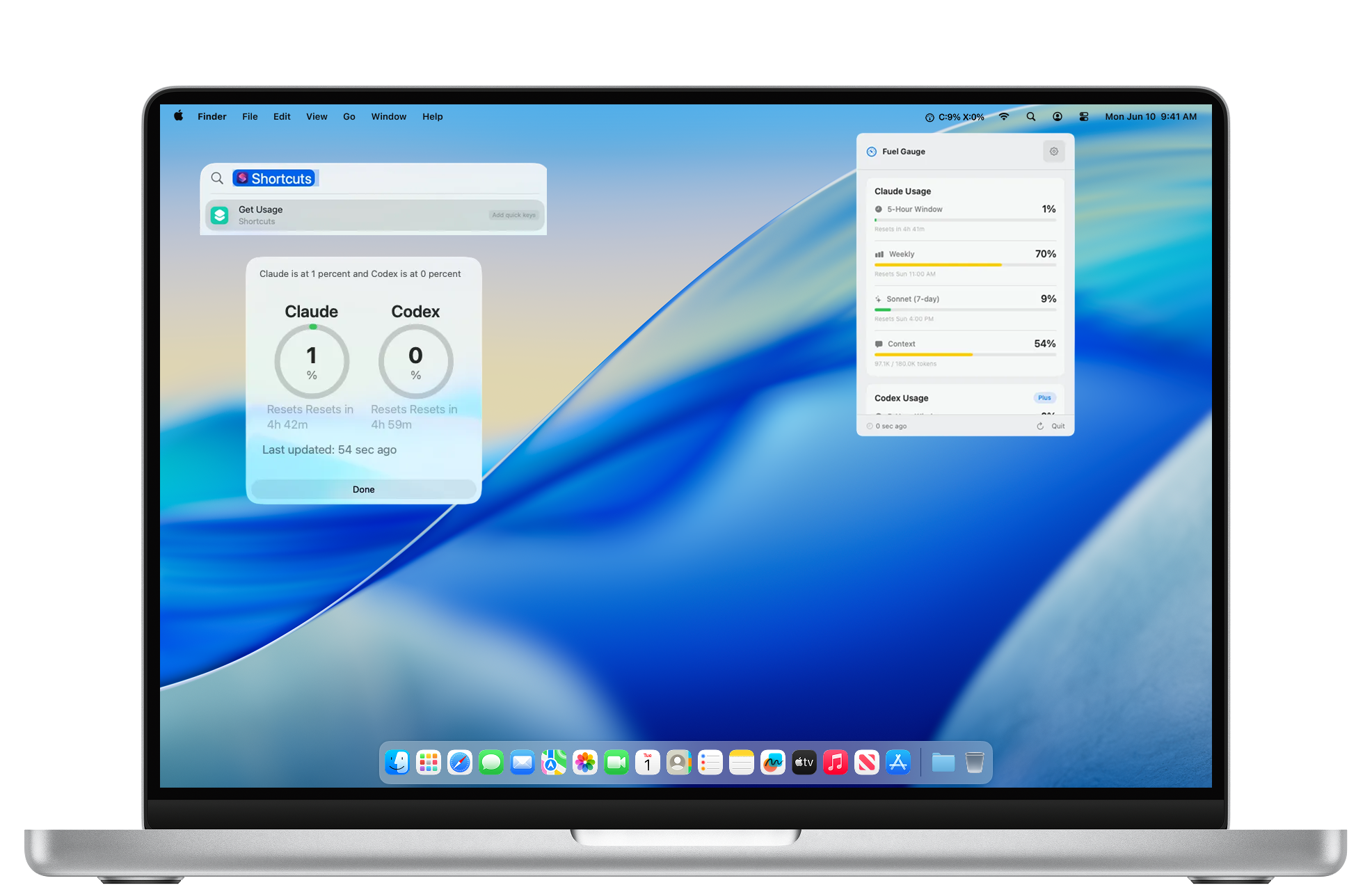
One glance at your menu bar shows Claude and Codex usage side by side. No tab switching, no dashboards — just C:9% X:0% always visible.

Track every limit

Monitor 5-hour windows, weekly caps, Sonnet usage, and context window health for Claude. See Codex session and weekly limits with your Plus plan status.

Shortcuts & notifications

Trigger usage checks from Siri Shortcuts or automation workflows. Get alerts before you hit limits so you can wrap up without interruption.

The full picture, one click away

Fuel Gauge running on a MacBook

Smart Notifications

Get alerts at 50%, 75%, and 90% thresholds so you can wrap up or switch models before hitting a wall.

Fuel Gauge
Claude Code has reached 90% of 5-hour limit
now
Fuel Gauge
Codex has reached 75% of 5-hour limit
12 min ago
Fuel Gauge
Claude Code has reached 50% of 5-hour limit
1 hr ago

Reset Timers

See exactly when your next 5H reset window opens.

Keychain Auth

Reads Claude credentials straight from macOS Keychain. No tokens to paste, no config files to manage.

Codex Integration

Sign into Codex once and Fuel Gauge tracks session and weekly limits alongside your Plus plan status.

Download for Mac